
Farm tasks and reminders
3 min read
The calendar of routine work — dipping, vaccinations, weighing — with due and overdue tracking.
Farm Tasks is the farm's work queue: the routine jobs that must never be missed — dipping, vaccinations, deworming, weighing — plus any custom reminders a manager creates. The dashboard's Due & Overdue card gives you the day's headline; tapping it opens the full task screen.
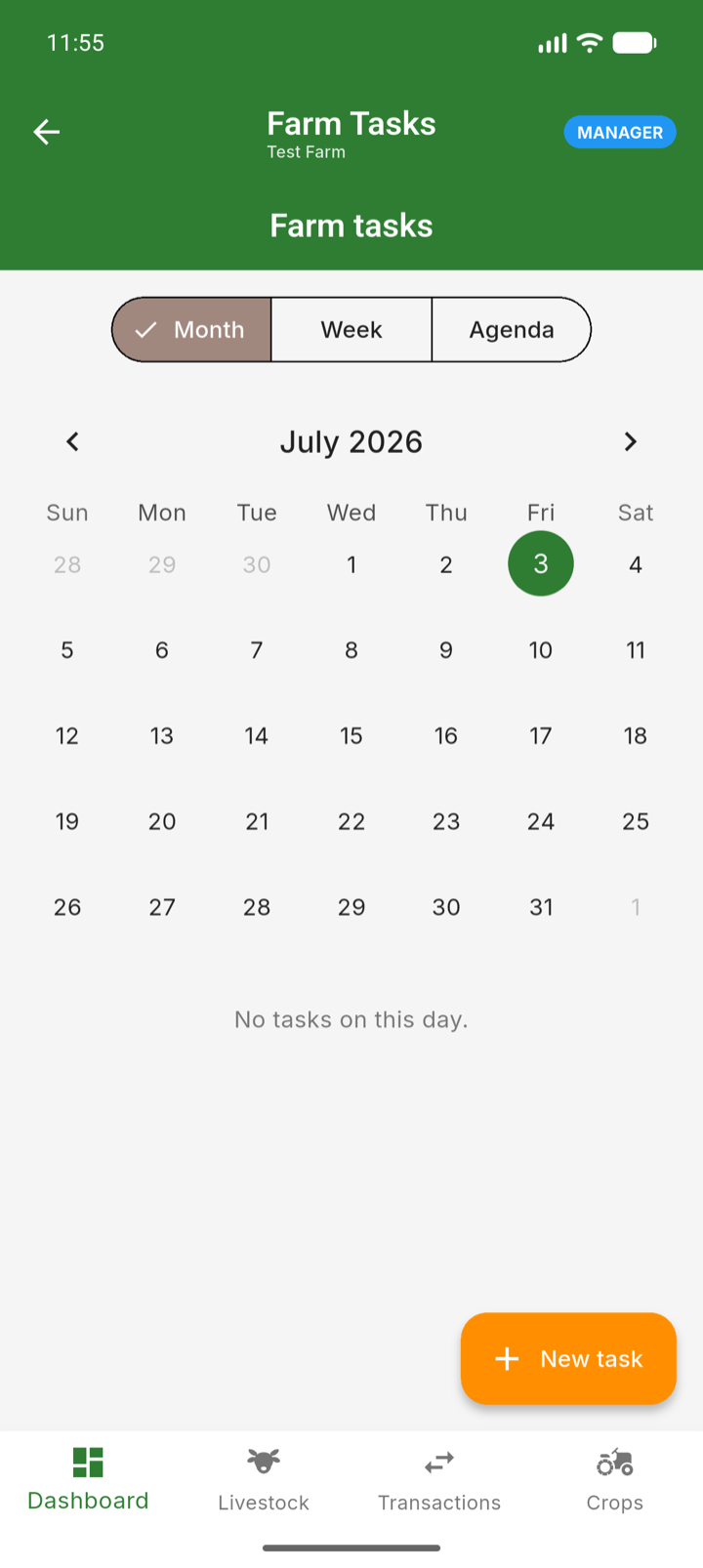
Three ways to view your work
- Month — a calendar grid; tap a date to see what is due that day.
- Week — the coming week as a timeline.
- Agenda — a simple queue of due and overdue items, the view workers usually live in.
Complete a task
- 1Open the task from the agenda or calendar.
- 2Health tasks take you to the right recording screen — for example, a weighing task opens Daily Tracking for that animal.
- 3Once the real record is logged, the task is satisfied — completion is evidence-based, not just a tick.
Create a task (managers)
- 1Open Farm Tasks and tap add.
- 2Describe the job, set the due date and any recurrence, and link it to an animal or field if relevant.
- 3Assign it to a team member and save.
Tip: Set recurring tasks for your fixed cadences — weekly dipping in the wet season, monthly weighing — and the calendar fills itself.